Talk To NPC Objective
It's best to first read Questing before starting this tutorial.
This tutorial requires you to already have created an NPC using the Entity Extension guide.
In this tutorial, you will learn how to create a quest where:
- The player interacts with an NPC
- The NPC gives the player a quest
- The player completes the quest by talking to a different NPC.
Quest Flow
Not Started
Talk Quest Fact = 0Quest Received
Talk Quest Fact = 1Completed
Talk Quest Fact = 2Quest Setup
This guide is split up into 2 sections.
- Manifest Section: Covers how to set the quest up and add the objective.
- Sequence Section: Explains how to make the npc give the quest and the other npc react to the quest.
Manifest Section
You must already have created 2 NPCs using the Entity Extension guide.
For this guide, we will be using a young npc
Jamesand an old man npcOld Man.
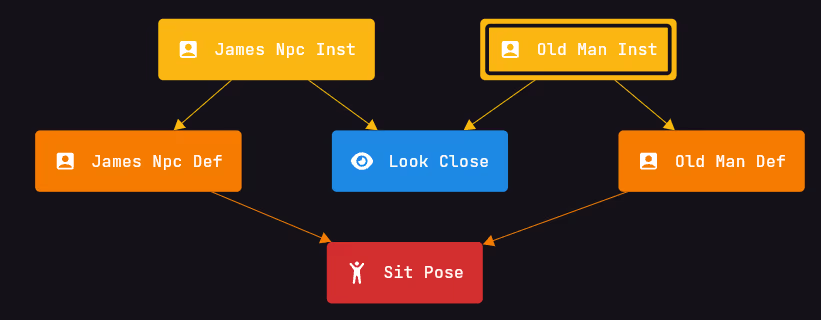
In this section, we will be creating the quest and adding the objective to it.
Creating the Quest
Now inside the manifest page, click on the + button in the top right corner and search for Quest. Click on the + button to add it to your page.
Configuring the Quest Entry
Now inside the quest entry set the following fields:
- Display Name:
TalkQuest - Active Criteria:
Talk Quest Fact >= 1 - Completed Criteria:
Talk Quest Fact = 2
For this guide I used a permanent fact
Adding the Objective
You now successfully created a quest entry. Now we need to add the objective to the quest.
Click on the + button in the top right corner and search for Add Interact Entity Objective. Click on the + button to add it to your page.
Configuring the Objective Entry
Inside the objective entry set the following fields:
- Quest:
TalkQuest - Criteria:
Talk Quest Fact = 1 - Entity:
Old Man(or what you named your second npc) - Override Display:
Talk to the Old Man
Manifest Result
- Manifest
- Static
This is an interactive graph of all the entries in the selected pages.
You can view different pages by clicking on the tabs. Each page contains a view of the entries in that page.
Click on an entry to view its details.
Sequence Section
It is recommended to have a good understanding of Interactions and Facts before starting this section.
In this section, we will be creating the sequence that gives the player the quest and the other npc reacts to the quest.
Interaction with the First NPC
Now we need to create the interaction with the first npc. This is where the player will receive the quest.
Click on the + button in the top right corner and search for Add Entity Interact Event. Click on the + button to add it to your page.
Inside the entry set the Definition field to the first npc you created. In this case, we will be using James.
Adding dialogue to the First NPC
Now when you click on the first npc nothing happens. Let's add some dialogue to the npc.
The following steps are optional, but recommended to make the quest more immersive.
- Add a
New Optionto your sequence and set the following fields:- Text:
Could you help me with something? - Option 1:
Yeah sure, whats up? - Option 2:
No sorry.
- Text:
- Now in the option 1 add a trigger for a spoken with fields:
- Text:
Go talk to that old man on the other side. - Duration:
2s 500ms
- Text:
- Inside that spoken add a modifier:
Talk Quest Fact = 1
Interaction with the Second NPC
Now you have created the first npc interaction. Now we need to create the second npc interaction. This is where the player will complete the quest.
Add a new Add Entity Interact Event entry and set the Definition field to the second npc you created. In this case, we will be using Old Man.
Configuring the Second NPC Interaction
Now we will make the interaction trigger a spoken. To do this right click on the Entity Interact Event and select Link with ... select the Triggers | 1 and search for Add Spoken.
Configuring the spoken
Inside the spoken entry set the following fields:
- Criteria:
Talk Quest Fact = 1 - Modifier:
Talk Quest Fact = 2 - Text:
Thanks for going to me!
Sequence Result
- Sequence
- Manifest
- Static
This is an interactive graph of all the entries in the selected pages.
You can view different pages by clicking on the tabs. Each page contains a view of the entries in that page.
Click on an entry to view its details.
Result
Now you have successfully created a quest where the player interacts with an npc and completes the quest by talking to a different npc.
In this video you can see that when the quest starts and ends it shows a title and some extra effects. The video also shows the scoreboard and quest tracking features. By default, quests won't be displayed to players - you need to manually configure how you want quests to be shown. To learn how to set up quest display (scoreboard, titles, etc.), read the Displaying Quests Guide.
You can also visualize the path of the quest by using the Interact Entity Objectives Path Stream entry.
Inside the entry set the Road field to a Road Network you created and it will visualize the path to the npc for you!
Read more about road networks in the Road Network Documentation.